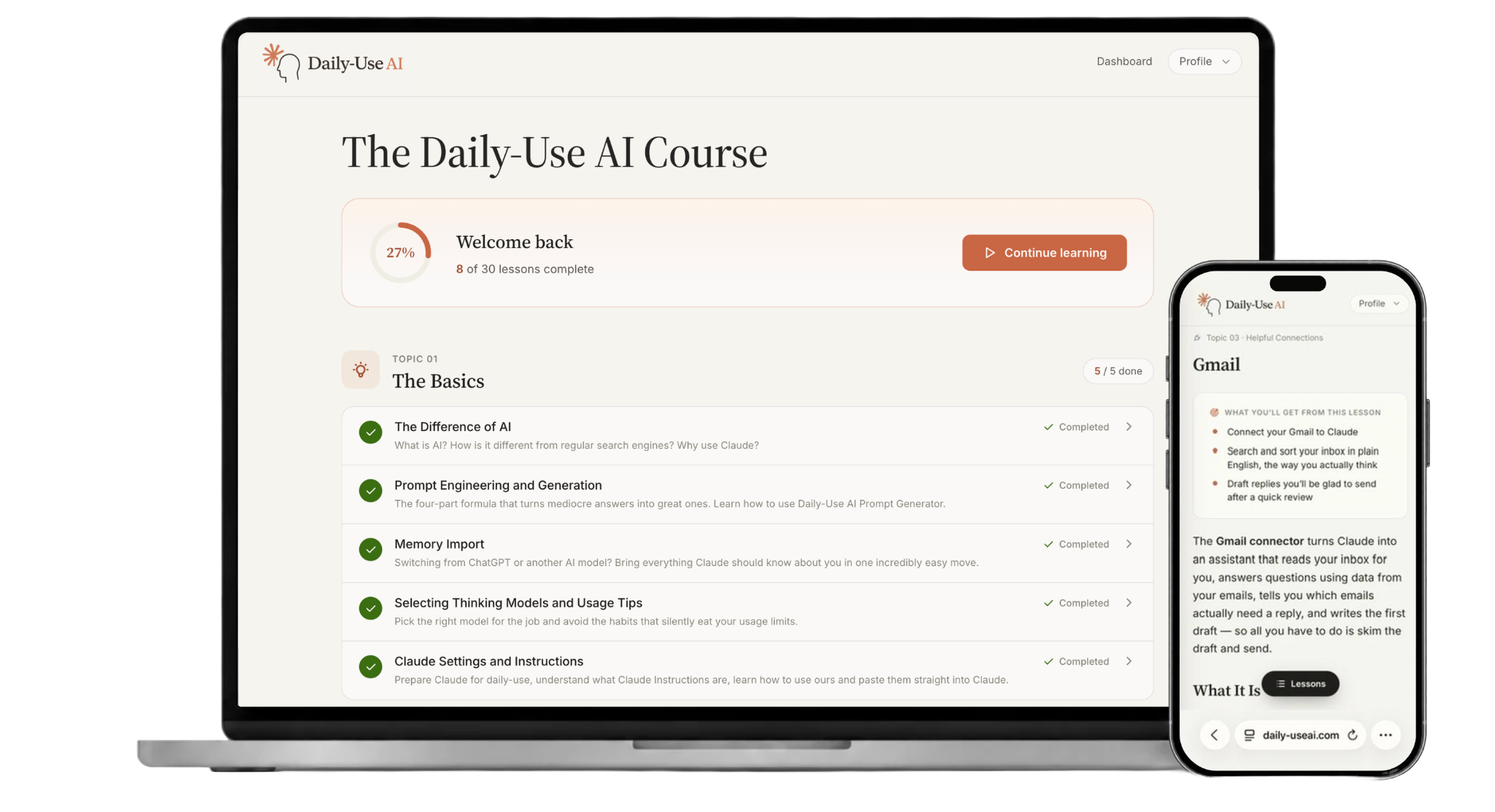
TOPIC 01 · 5 LESSONS
The Basics
The simple stuff: What is AI? How is it different from regular search engines? Why Claude? Prompt engineering that works, using the Daily-Use AI Prompt Generator, importing memory from other AI providers, choosing the right thinking models for your tasks, tips for not running out of usage, pre-built instructions, and the optimized settings most people never touch.
- The Difference of AI
- Prompt Engineering and Generation
- Memory Import
- Selecting Thinking Models and Usage Tips
- Claude Settings and Instructions
TOPIC 02 · 8 LESSONS
Learning Claude
Learn your way around one of the world's best AI engines: Talk directly to Claude, create documents, tools, and micro-apps with zero code, set up Projects, and edit, branch, and redirect a conversation until it lands where you want it. Know when and how to use Claude web search and interactive visuals. Then build one real tool across three lessons: a daily habit tracker you create with Artifacts, make smarter with Simple Claude Code, and perfect in Claude Design.
- Voice Mode
- Artifacts
- Projects
- Steering the Conversation
- Claude Web Search
- Interactive Visuals
- Simple Claude Code
- Claude Design
TOPIC 03 · 6 LESSONS
Helpful Connections
Learn the real productivity game-changers: have Claude navigate, read, click, and fill out forms in your browser through the Chrome Extension. Use Claude connectors to plug your apps into Claude, and perform all of these tasks directly from Claude — with permissions set so it asks before it acts. Learn to write, search, summarize, and sort emails in Claude: sort your unread mail into tiers and get a draft reply waiting for every one that needs you. Use AI to find a document even when you've forgotten its name, then read, analyze, and pull data from any Google Doc, Slideshow, or Sheet. Add events to your calendar, brief for upcoming meetings, review your week against your goals, and search for open time slots in seconds — and if you don’t use Google Calendar, learn how to do all of it on the app you do use. Tap into Claude's many other connectors with our help — Zoom, Canva, Spotify, Microsoft 365, Adobe, Vercel, GitHub, Indeed, Stripe, and more.
- Chrome Extension
- Overview of Claude Connectors
- Gmail
- Drive
- Calendar
- Other Connectors
TOPIC 04 · 9 LESSONS
Daily-Use Tasks
Make your daily tasks faster and your day smarter: learn how to use AI to write emails in seconds with your own style, run a live mock interview out loud before the real thing, and clean up 45 minutes of voice notes or messy documents into open questions and key data points. Run deeper research with Claude Web Search and Research mode, turn your notes into a study guide and have Claude quiz you until it sticks, and get personalized tech troubleshooting and setup help. Learn how to use AI to pressure-test tough decisions with the cost of being wrong, weighted trade-off tables, and an honest read on the odds, then plan a trip that survives contact with reality — the route locked first, your real bookings pulled in, and every closing time checked before you fly. Most importantly, learn the C.O.R.E. handover that lets you create, prompt, and run any task you can imagine.
- Writing Emails
- Interview & Meeting Prep
- Note Taking & Note Cleanup
- Research
- Studying
- Tech Troubleshooting
- Decision Making
- Travel Planner & Navigator
- Your Own Tasks
TOPIC 05 · 2 LESSONS
Claude Skills
Learn the simple but powerful world of Claude Skills. Learn how to utilize our very own library of 21 pre-built skills (included in your one-time payment) to automate the tasks above. Install these Claude Skills once and they work forever — no more prompt writing is required to do your daily tasks, such as: writing emails, meeting prep, note cleanup, resumes, and difficult messages; research, studying, explain-anything, and language practice; budgeting, meal planning, smart shopping, and home and errands; fitness, habits, and wellness check-ins; travel, decisions, events, and family; plus a writing editor and social posts. Then learn to build your own Skills for the tasks that are uniquely yours — if you’ve explained it twice, it should be a Skill.
- Learn Claude Skills
- How to Use the Pre-Built Skills Library